# Special Enhance Option System
### Introduction
**Special Enhance Option:** This is a special equipment options that allow you to transform your items into more powerful versions with a special slot effect. In this article, we’ll delve into the details in a simple way, explaining what equipment can undergo Special Enhance, where to find it, and how to enhance it. If you are ready, let’s get started!
### **Lists of items that can use** Special **enhance o**ption **system**
Archangel Wings \[1]
Light and Darkness Wings \[1]
### Where to Enhance your items ?
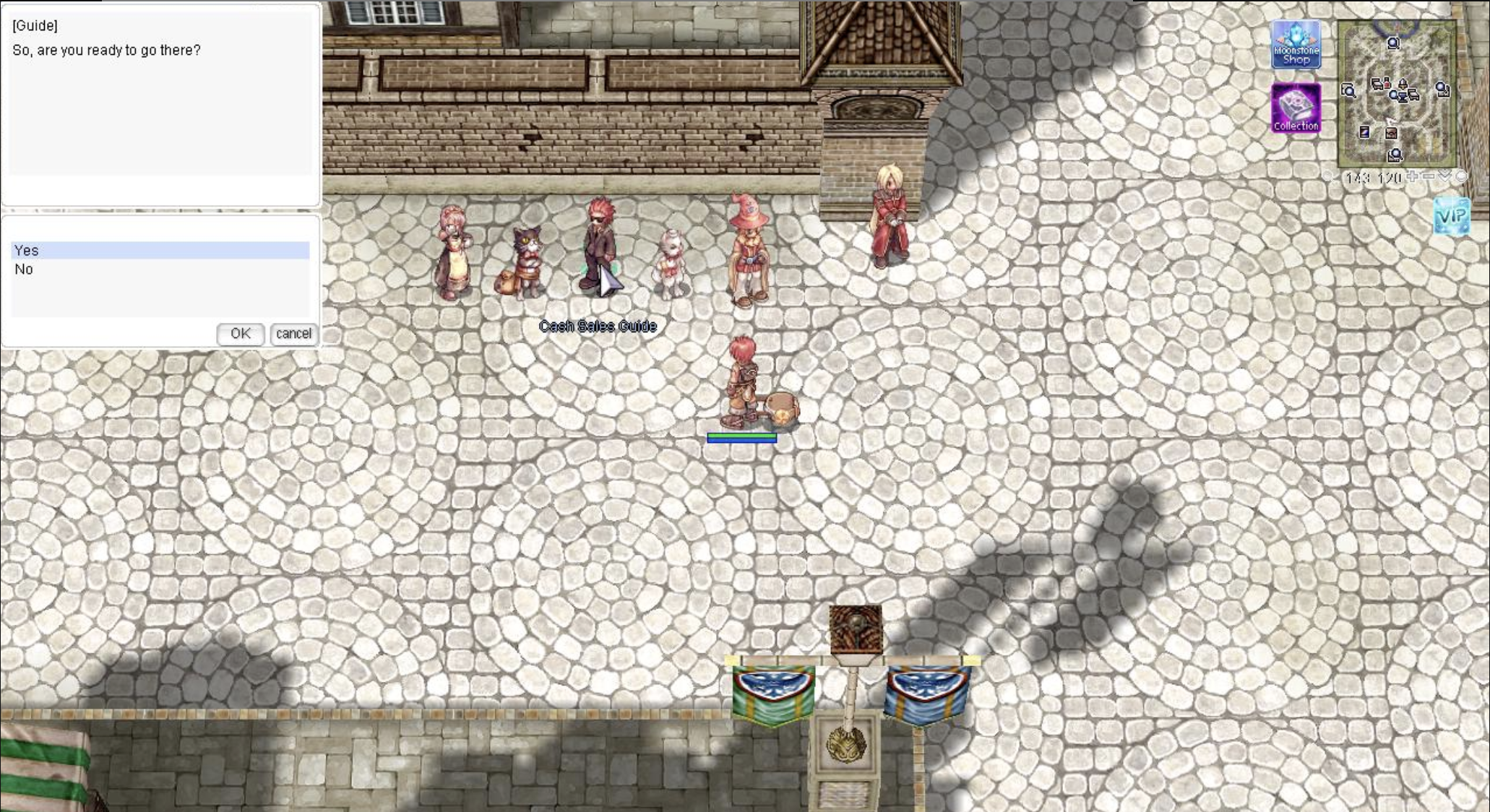
Navigate to Prontera and move to the coordinates 139, 124 and Interact with the Cash Sales Guide NPC and choose the option to “Enter Kafra Shop.”
How to entrance Kafra Shop Area
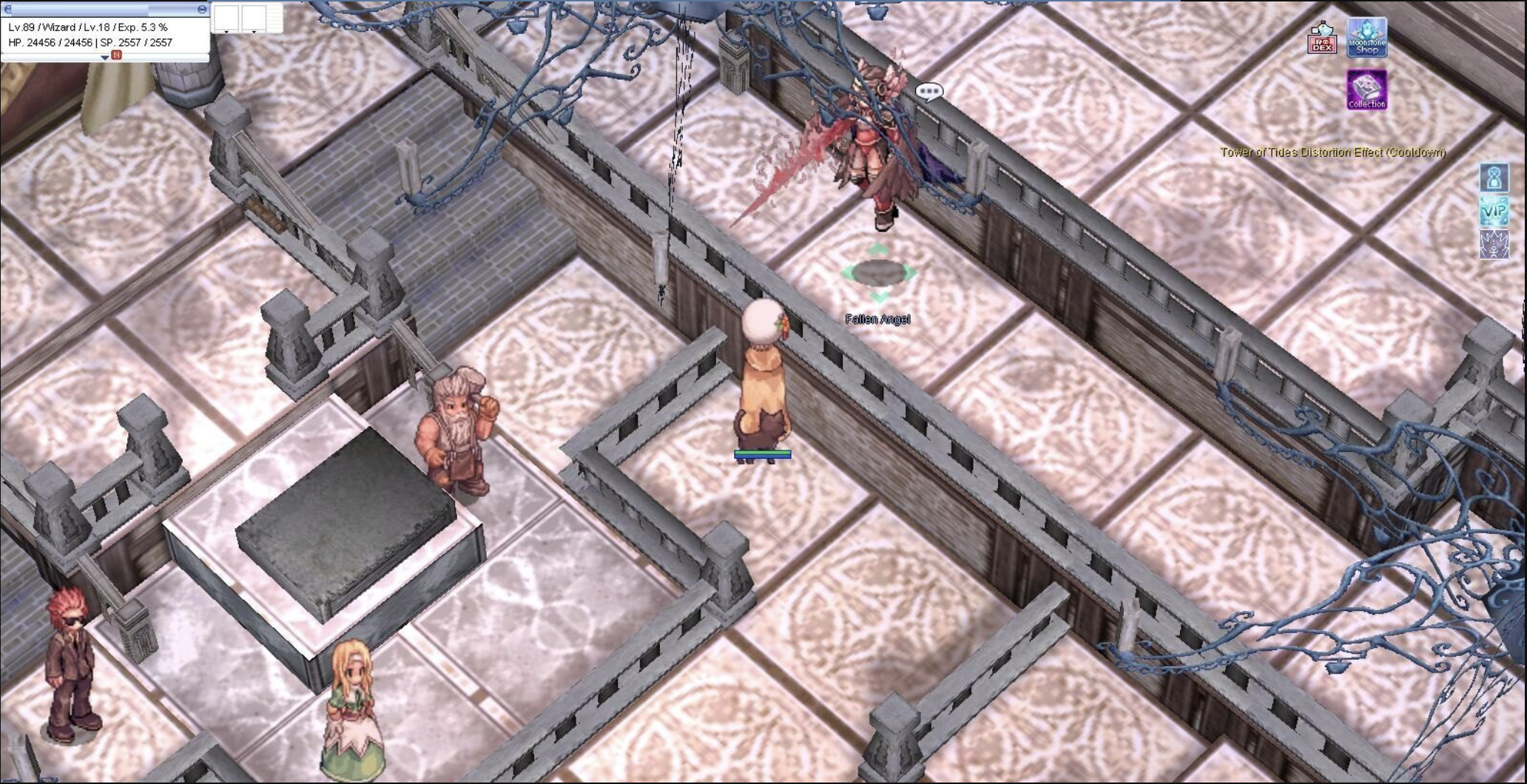
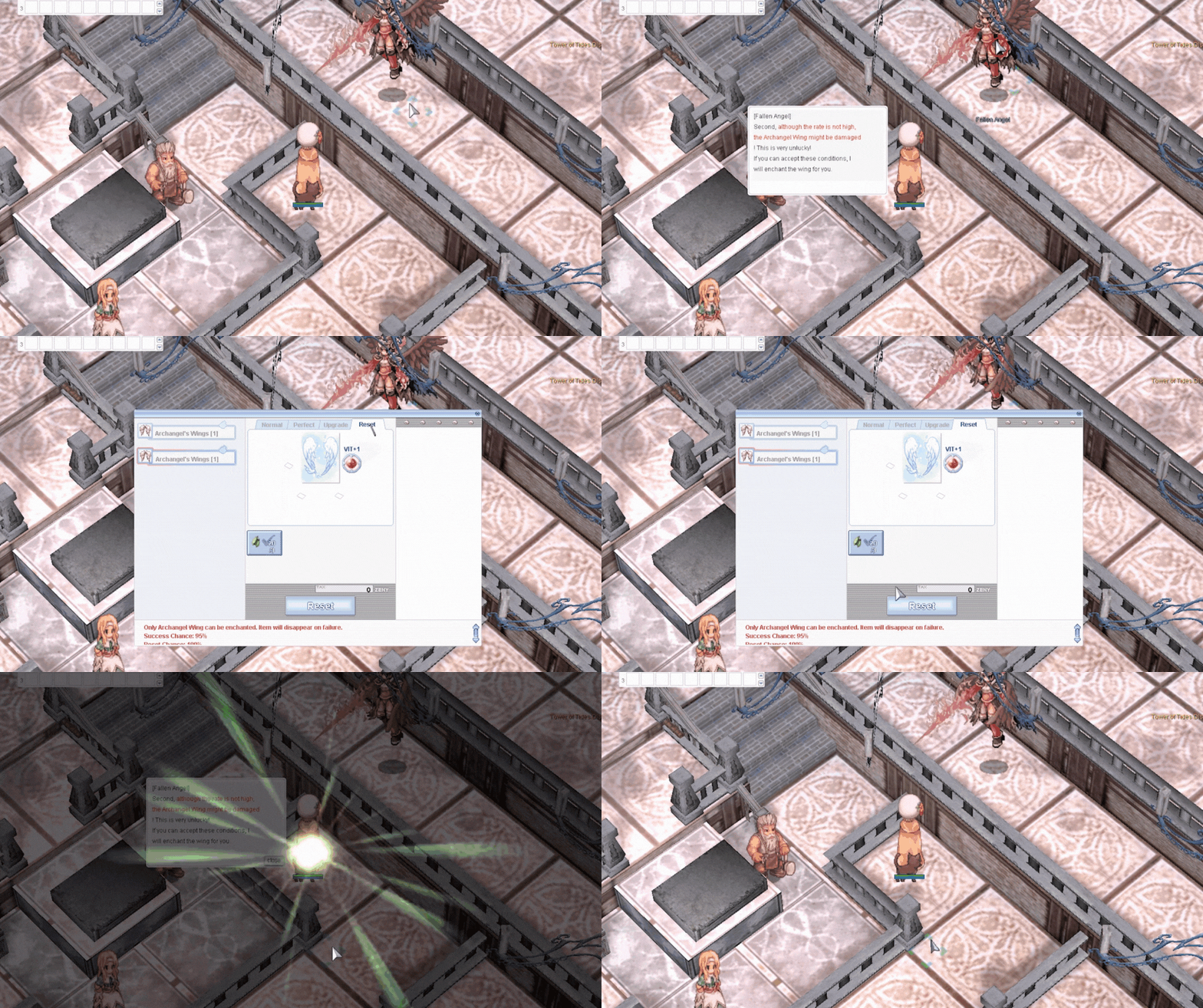
Find the NPC Fallen Angel in the Kafra Shop, located in the middle of the room.
Fallen Angel
### **How to use Special enhance option system**
**Conditions**
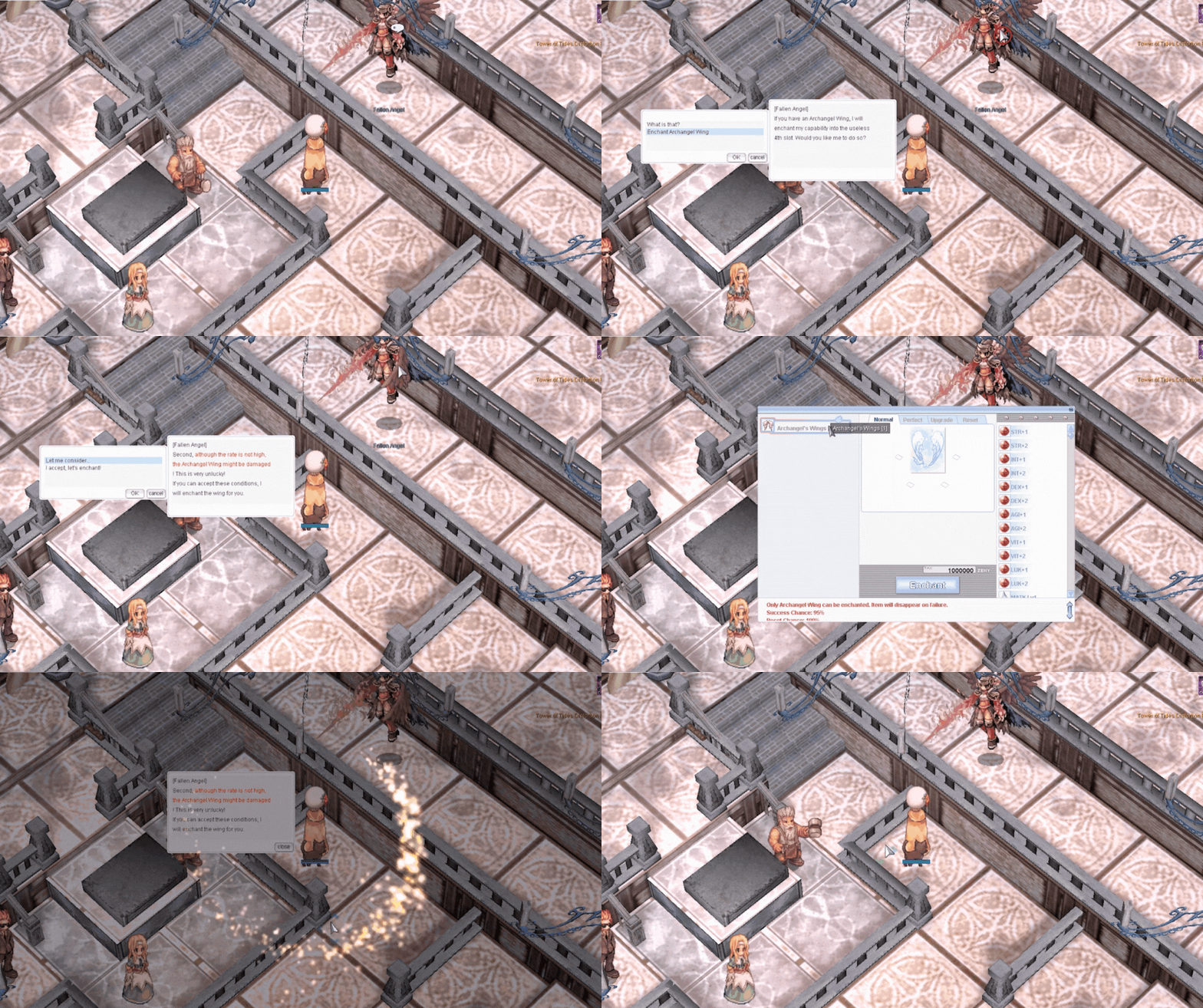
1. Use 1,000,000 Zeny as the enchant fee.
2. You must not wear the Archangel Wing on your character during enchanting.
3. There is a small chance that the Archangel Wing will disappear as a result of enchanting.
4. The enchant can be removed by using 3 Silvervines.
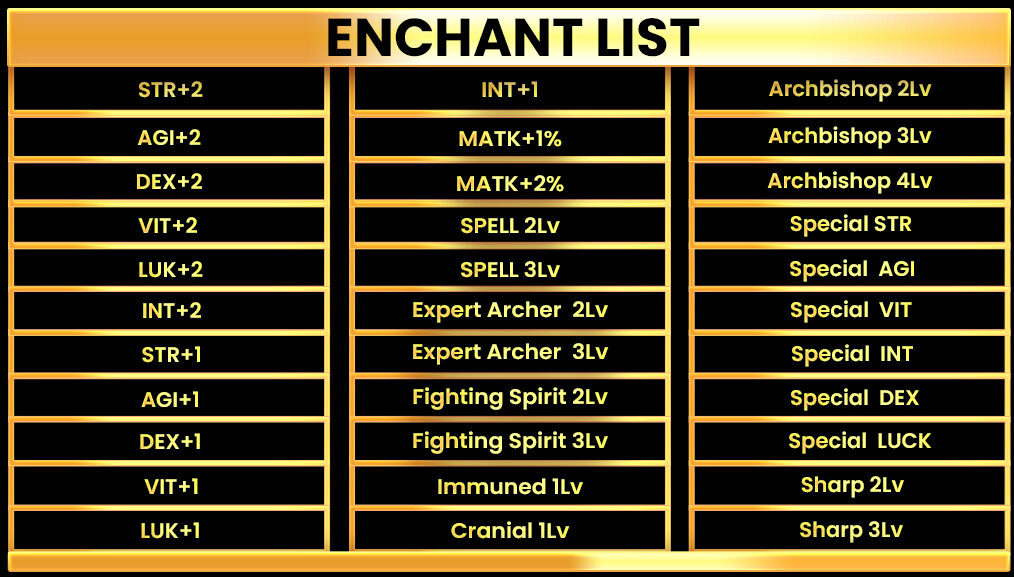
### **Items after Enchant Option & Option that available**
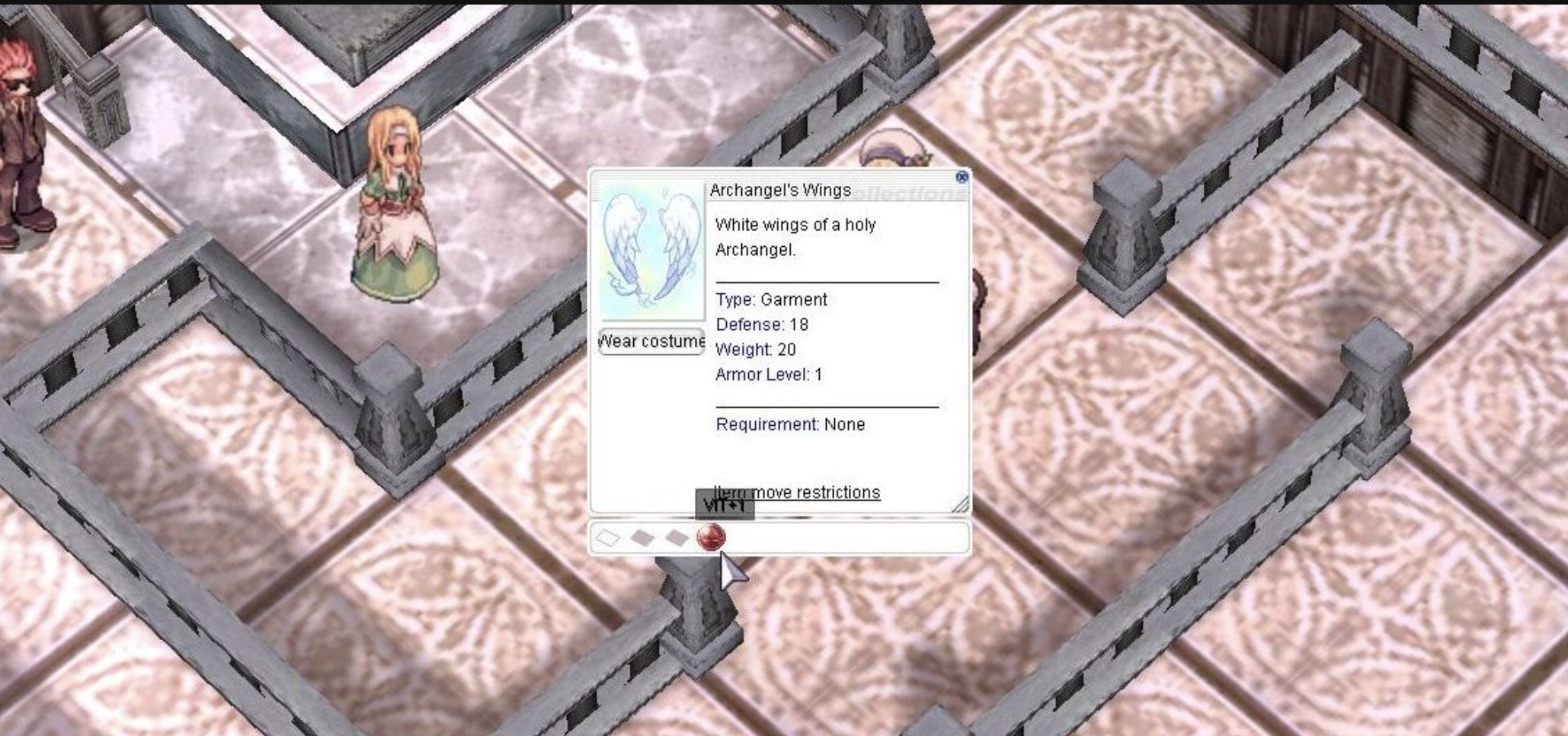
Item after being enhanced
### Enchant List
### **How to remove Enchant Option**
**Conditions**
1. Use 3 silvervine fruits as reset fee.
Silvervine fruits are available in [Moonstone Shop.](../moonstone-shop)